
Set Your Consultation Fees
Choose your consultation prices and, where supported, offer different durations or consultation formats. Clients can review the applicable fees before confirming a booking.

Here's what joining CallLawya looks like in the app, step by step: download the app, create your account, verify your licence and identity, then go live and start receiving bookings.
See the four stepsFree to join. No monthly listing fees. A 10% platform commission applies to eligible transactions.
Verify your identity
Take a quick selfie so we can confirm it's really you. This helps keep CallLawya safe for clients.
How to sign up
Everything happens in the app. Here is what you will see at each stage, from verifying your licence to receiving your first booking.

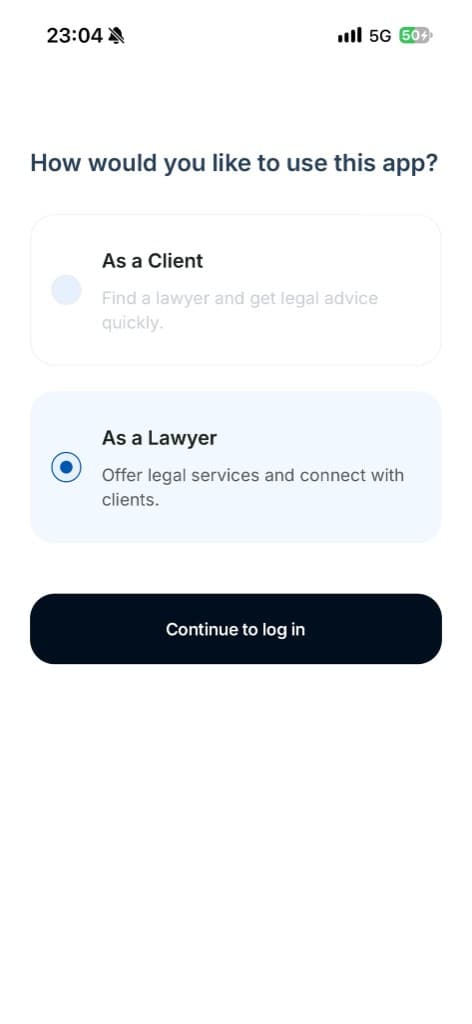
Install CallLawya from the App Store or Google Play and tap Get started. When the app asks how you would like to use it, choose As a Lawyer to set up a professional account.
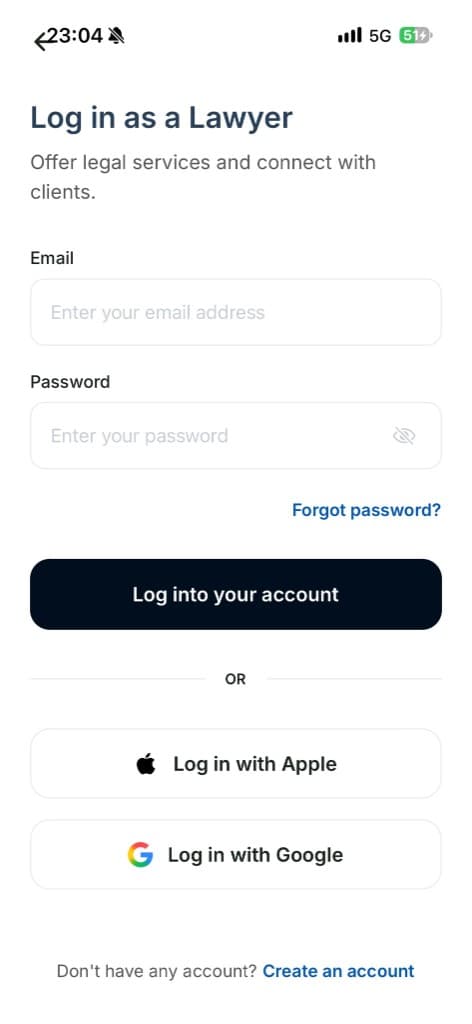
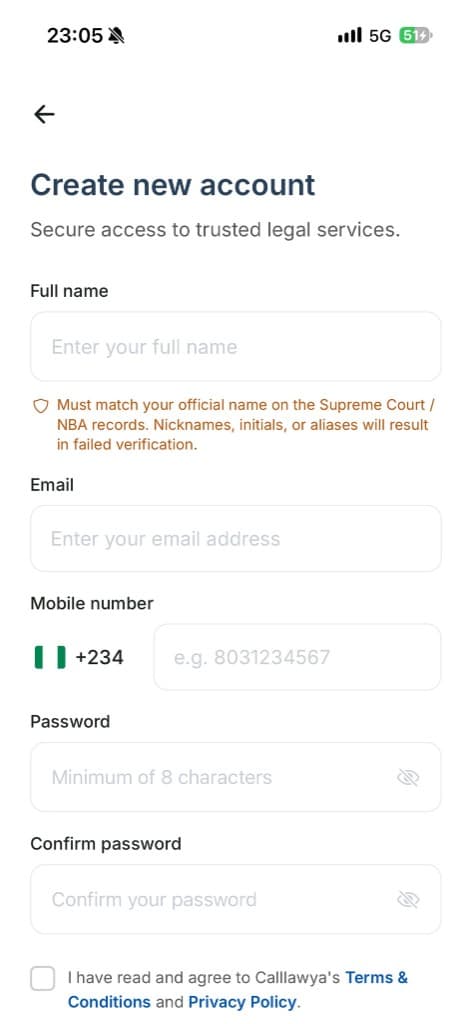
Log in if you already have an account, or create one with your full name exactly as it appears on your Supreme Court / NBA records, your email address, your Nigerian mobile number and a secure password. You can also continue with Apple or Google.
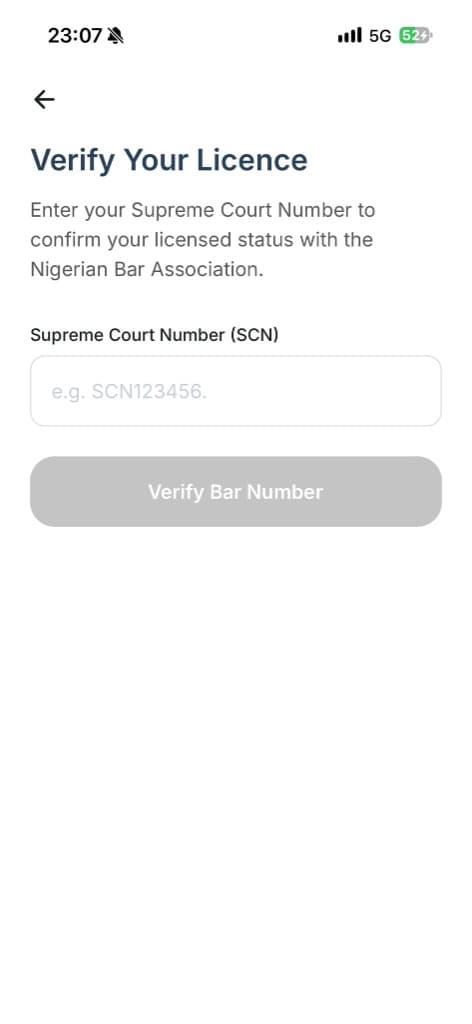
Verify your identity
Take a quick selfie so we can confirm it's really you. This helps keep CallLawya safe for clients.
Enter your Supreme Court Number so we can confirm your licensed status with the Nigerian Bar Association, then take a quick selfie so we can check that the person behind the profile matches your details. Our team completes the applicable checks.
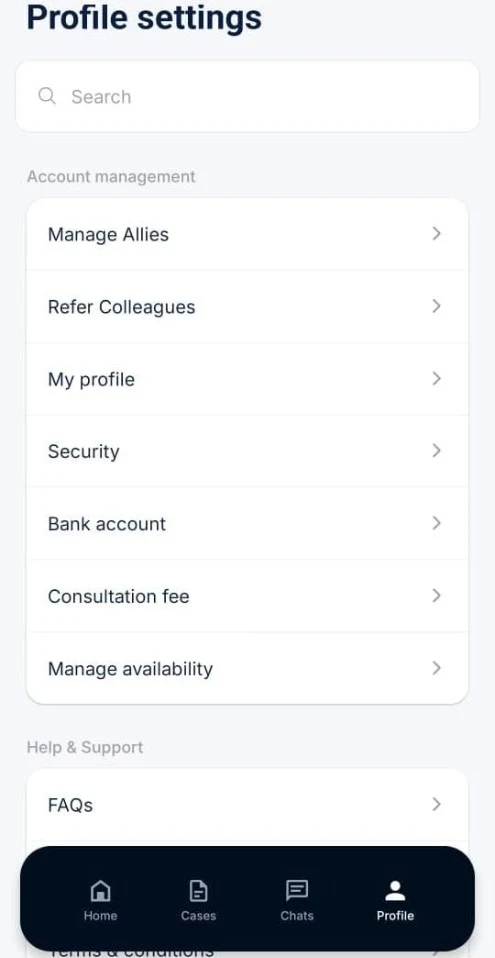
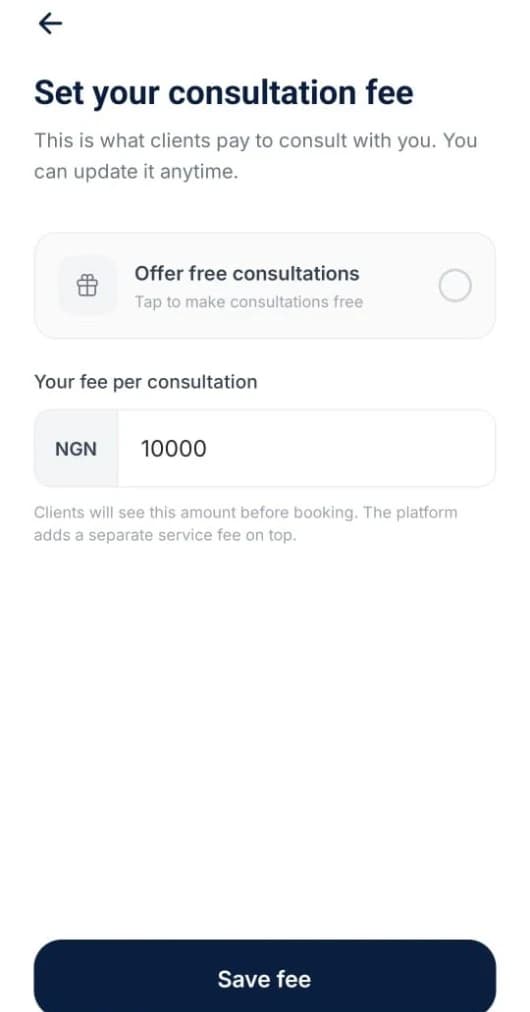
Once you're approved, set up your practice from Profile settings: complete your profile, add your bank account for payouts and manage your availability. Choose what you charge per consultation, or offer free consultations. Clients see your fee before they book.
Trust starts here
Clients need confidence in the professionals they choose. CallLawya's verification process is designed to check the identity and professional credentials of lawyers before their profiles can accept bookings.
A verified profile helps clients make informed decisions. It does not guarantee a particular legal outcome or replace a client's own assessment of a lawyer's suitability.
Provide your Supreme Court of Nigeria enrolment number and the professional information required during registration.
Our team reviews the submitted details and conducts the applicable identity and professional checks.
Once approved, your profile can be published so potential clients can discover your expertise and explore your consultation services.
Flexibility and control
Your professional time and expertise have value. CallLawya gives you control over your consultation fees and availability while providing tools to manage bookings.
Choose your consultation prices and, where supported, offer different durations or consultation formats. Clients can review the applicable fees before confirming a booking.
Set your working hours, publish available appointment slots, and block out dates when you cannot accept consultations.
Track upcoming bookings and add appointments to your preferred calendar through supported calendar integrations.
Keep your qualifications, areas of practice, biography and contact preferences up to date so potential clients can understand the services you offer.
Simple and transparent
Joining CallLawya is free. There is no monthly listing subscription, and you remain in control of your consultation fees and availability.
CallLawya charges a 10% platform commission on eligible transactions processed through the platform. Once your consultation or case-related service has been completed and the payment is eligible for release, your earnings are processed for payout according to CallLawya's payment terms.
Create your professional profile without paying a monthly listing fee.
Set your consultation fees and let clients review the applicable price before booking.
Payments are managed through CallLawya's payment process, with funds held pending completion and release in accordance with the applicable terms.
Your eligible earnings are scheduled for payout every Thursday through Paystack to your verified bank account, subject to payment clearance, verification and applicable payout conditions.
Every Thursday
EXAMPLE OF THE 10% COMMISSION
For a consultation fee of ₦10,000:
Your expertise deserves a transparent payment process. Know what you earn, track your transactions, and plan around a regular payout schedule.
Join CallLawyaYour practice, organised
Manage your appointments, keep track of completed consultations and monitor your earnings through CallLawya.
View upcoming consultations, review booking details and keep track of appointment changes.
Organise your schedule using your published availability and supported calendar integrations.
Review consultation payments, CallLawya's commission, pending balances and completed payouts from your account.
Once your consultation or case-related service is completed and the payment is approved for release, your eligible earnings enter the payout process. CallLawya schedules payouts every Thursday through Paystack to your verified bank account, subject to the applicable payment terms.
Build your professional presence, showcase your specialisation and connect with people looking for legal support.
Join CallLawya and take your legal practice a step further with a platform designed to make connecting with potential clients easier.
Free to join. No monthly listing fee. A 10% platform commission applies to eligible transactions.
Questions from lawyers